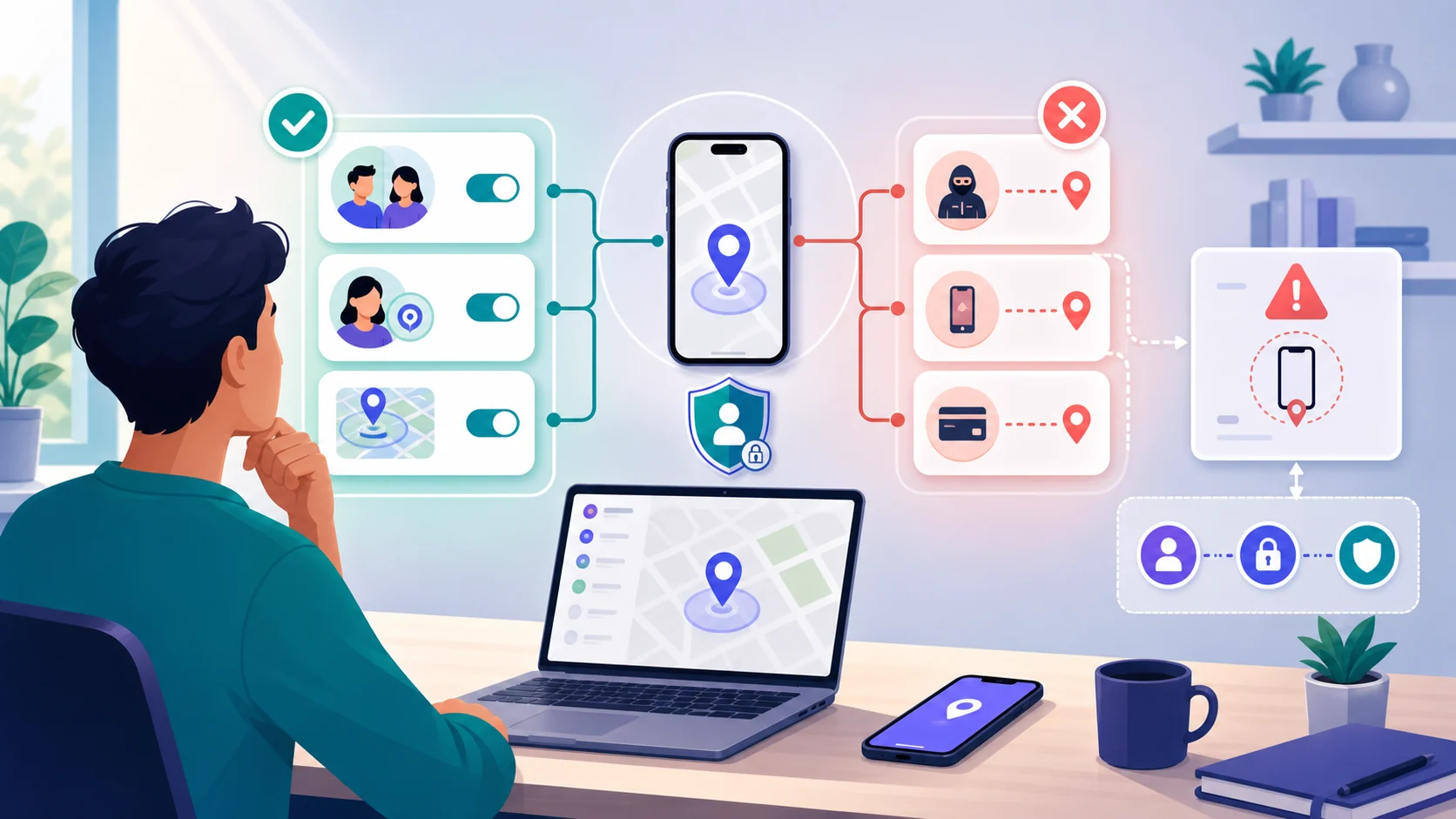
Stopping location sharing on an iPhone is not one universal switch. A person may be sharing with someone through Find My, Messages, or Contacts; an app may have Location Services access; another Apple device may be signed in; or Find My may be protecting a lost device. Start by identifying the surface that matters.
This is a guide for your own device and consensual privacy decisions. It does not explain how to hide tracking, take over an account, or monitor someone else. If another person may control the phone or react to changes, use a safer device or location and seek specialist support before making a visible change.
Identify what is sharing location
Apple’s current Personal Safety guidance treats people sharing and device finding as related but different controls. Find My People sharing lets selected people see your location. Find My iPhone and the Find My network help locate a lost device, including when the device is offline or powered down. An app’s Location Services permission is a third layer.
| Surface | What it controls | What stopping it changes |
|---|---|---|
| Find My People | Location shared with selected people | Your location disappears from their supported Apple apps |
| Messages or Contacts | A share connected to a person or conversation | That person or conversation no longer receives the share |
| App Location Services | An app's access to location | That app may lose location access, but other shares can remain |
| Find My iPhone / network | Finding your own lost device or items | You may lose recovery and theft-protection features |
| Apple Account devices | Devices signed in to the account | Removing an unknown device addresses account access, not just a people share |
 Expert opinion Eva Galperin Cybersecurity director and technology-abuse researcher
 Full access to a person's phone is the next best thing to full access to a person's mind.Electronic Frontier Foundation
The quote describes why a location setting deserves context, not panic. A single location share does not prove compromise, and stopping one share does not prove that every other account, app, device, or physical tracker is safe.
Stop one person or one conversation
If the problem is one person, use the current Apple instructions for the specific surface that created the share. Apple documents a version-sensitive Find My path through People to the person’s profile and Stop Sharing My Location. Messages can also contain a conversation-level stop control, and Contacts may offer a person-level stop option.
| Goal | Apple surface | Expected scope | Caution |
|---|---|---|---|
| Stop one person | Find My People | That person loses the people share | They may notice the change |
| Stop a conversation share | Messages | The relevant conversation no longer receives it | Deleting a conversation is not universal cleanup |
| Stop all people sharing | Find My Me / Share My Location | Broader people-sharing change | It does not remove third-party shares or every app permission |
| Review sharing and access | Safety Check Manage Sharing & Access | People, apps, devices, and selected account controls | Availability depends on iOS and account configuration |
Apple says people previously sharing with you may notice when you stop; older operating systems may show a Messages notification. “Stop without notification” is therefore not a reliable or appropriate privacy goal. If notice could create danger, pause and use the safer path later in this guide.
Use Safety Check for a wider review
Safety Check is available on iPhone with iOS 16 or later when you are signed in to the device with an Apple Account that uses two-factor authentication. Apple provides two different choices: Manage Sharing & Access for individual review, and Emergency Reset for an immediate broad stop and account-safety review.
| Option | Use it for | What to remember |
|---|---|---|
| Manage Sharing & Access | Review people, apps, information, devices, and account controls one group at a time | Changes are saved as you go; verify the result afterward |
| Emergency Reset | A high-impact need to stop sharing broadly | It can affect sharing, permissions, devices, passwords, and trusted contacts |
| Quick Exit | Leaving Safety Check quickly | Changes already made are saved; it does not undo them |
| Older iOS checklist | iOS 15 or earlier or a device without Safety Check | Use Apple’s current Personal Safety checklist rather than a stale screenshot |
Safety Check cannot review every kind of information. Apple notes limits around non-Apple accounts, social-media sharing, different Apple Accounts, other Apple devices, and some external services. A successful Safety Check is useful evidence about the areas it covers, not proof that no location signal exists.
Verify devices, apps, and account access
After an individual change or Safety Check, verify the exact result you wanted. Look at people and information shared with people, then apps and information shared with apps. Review connected Apple Account devices separately. If another service such as Google Maps or a messaging app created the share, review that service in its own current controls.
-
Confirm the intended person no longer appears in the relevant sharing list.
-
Review Location Services and third-party accounts separately.
-
Check Apple Account devices and distinguish them from people sharing.
-
Verify the desired change without assuming every route is closed.
List the surface
Decide whether the share comes from Find My People, Messages, an app, an account, or device finding.
Choose the scope
Select one person, one conversation, a people-sharing review, or a broader Safety Check only when appropriate.

Review consequences
Read Apple’s current explanation, including whether the person may notice and whether device recovery features are affected.

Verify safely
Confirm people, apps, devices, and account changes from a safe context; do not treat one success screen as universal proof.
When stopping may be unsafe
In an ordinary privacy cleanup, stopping an unwanted share can be a reasonable and immediate choice. In a coercive situation, the same visible change can alert someone who monitors the phone, account, or location. Apple’s Safety Check guidance tells readers to consider safety and privacy impacts before changes.
 Expert opinion Lorrie Cranor Professor of computer science and engineering and public policy
 I realized that not a lot was known about how to make privacy or security tools usable, so I decided to make that the focus of my research.Carnegie Mellon CyLab
Stopping location sharing at a glance
Pros
- Individual controls can preserve unrelated Find My protections
- Safety Check can organize a broader review on supported iOS
- Verification separates people, apps, devices, and accounts
Cons
- A person may notice when sharing stops
- One setting does not close every third-party or device route
- Emergency Reset can have account and permission consequences
- Visible changes may be unsafe in coercive situations
Bottom line
First identify what is sharing your location, then choose the narrowest change that solves the problem. Use an individual Find My, Messages, or Contacts stop for one recipient; use Safety Check for a deliberate broader review on supported iOS. Keep people sharing, app permissions, Find My device recovery, and Apple Account devices conceptually separate.
If changing the setting could increase danger, do not pursue a silent stop on the monitored phone. Use a safer device and specialist support, then verify the result across the relevant apps, devices, and accounts.
How to stop location sharing on iPhone FAQ
01 How do I stop sharing my location with one person on iPhone?
Use the current Apple instructions for the surface that created the share, such as Find My People, Messages, or Contacts. Select the person and use the documented stop control. Labels can vary by iOS version, and the person may notice.
02 How do I stop location sharing with everyone?
On supported iOS, review the current Find My People control or use Safety Check when a broader review is appropriate. Turning off people sharing does not automatically remove third-party shares, every app permission, Find My protections, or other Apple Account access.
03 What iPhone requirements apply to Safety Check?
Apple documents Safety Check for iPhone with iOS 16 or later, signed in to an Apple Account that uses two-factor authentication. Manage Sharing & Access supports individual review; Emergency Reset is a high-impact broad action.
04 Why might someone still see my location after I stopped sharing?
The location may come from another app or account, another signed-in device, a separate people share, Find My device or item features, family context, or a cached last-known view. Review the relevant surface rather than assuming one toggle controls all location data.
05 Can I stop sharing without the other person knowing?
Do not treat silent stopping as a reliable or appropriate goal. Apple says people may notice when sharing stops, and older systems may show a Messages notification. If notice could create danger, use a safer device or location and specialist support before changing settings.